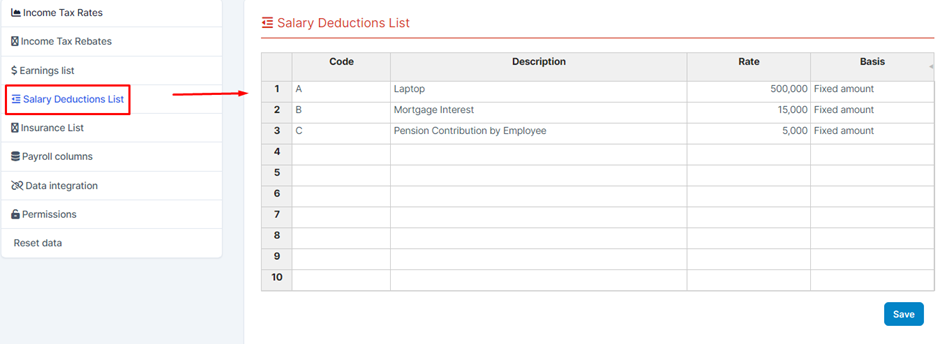
The Salary Deductions List screen is used to create and manage salary deductions, such as lunch allowance, travel expenses, phone bills, etc.
The data in this screen will be used for the Payroll columns screen and Employees menu.
Select the HR Payroll Module -> Select Salary Deduction List -> Enter the values for the fields -> Click Save to save the data you just manipulated. The input data of this screen will be used for the Deductions menu screen.
The Basis field data is taken from the Earnings list screen and has two additional values, Fixed amount and Gross. If the Basis field selects Gross, the Rate field must enter the value of %. If the remaining values are selected, the Rate field will enter the corresponding amount.
For example: If the Basis field selects data from the Earning list as Basic salary and the rate field enters 0.2 and at the Employee screen enters the Basic salary field as 100,000, then the Salary Deduction will be calculated as 100,000*0.2
If the Basis field selects the Gross value , it will be calculated based on the column value "Gross Pay - pre-tax salary - this is the default column declared in "Payroll column: with formula type - meaning the value will be calculate based on the formula the user entered when creating the template" => after having the Gross pay value => calculate salary deduction based on % rate.
If the Basis field selects the Amount: value, the rate will be considered the corresponding amount.